Activation guide
Step by step, with screenshots from a real PS5. The green marks show what to tap.
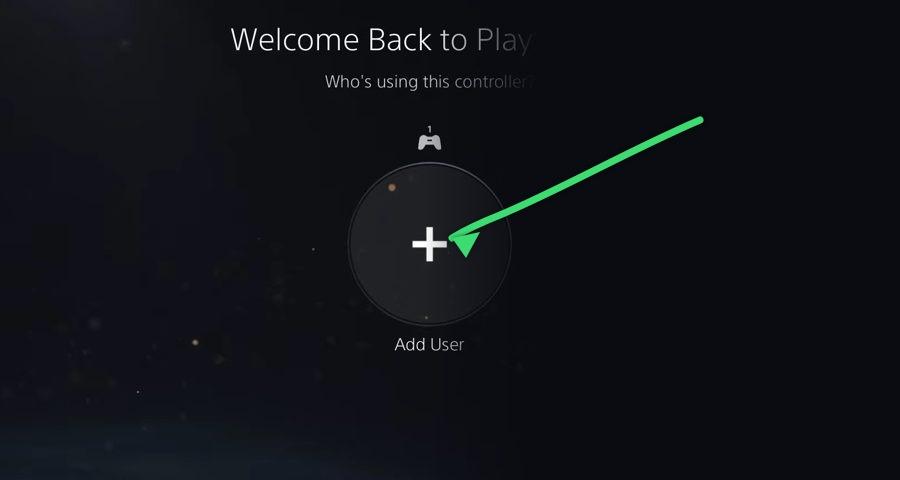
Step 1: Select "Add User" on the welcome screen
When you turn on your PS5 you see the user selection screen. Select the circle with a "+" that says "Add User".
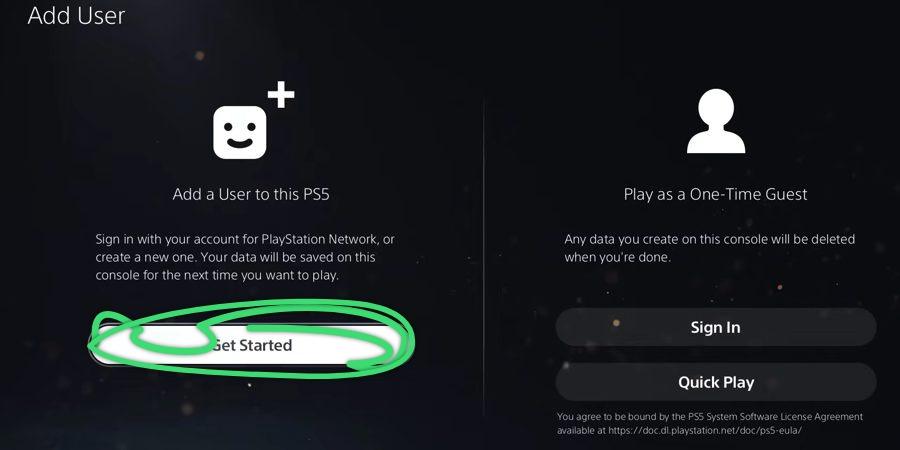
Step 2: "Add a User to this PS5", then Get Started
Choose the option on the left, NOT the one on the right ("Play as a One-Time Guest" erases all the data when you leave).
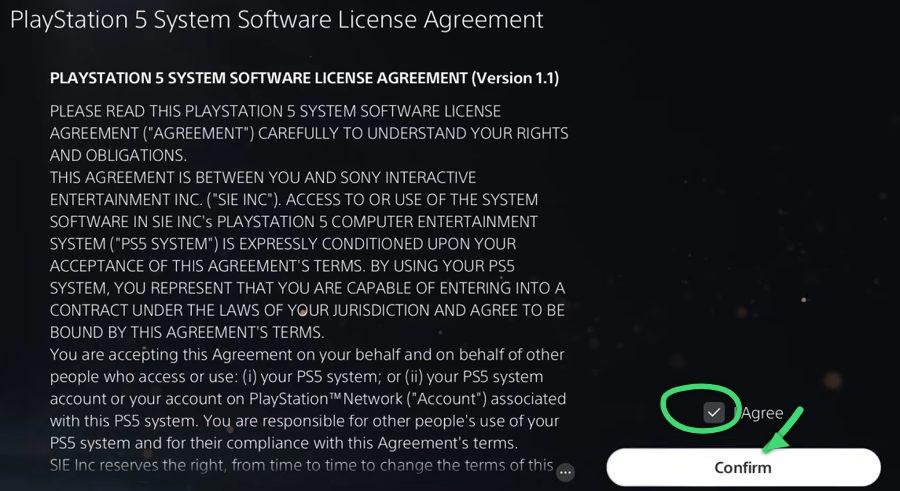
Step 3: Accept the license agreement
Tick the "I Agree" box and press "Confirm".
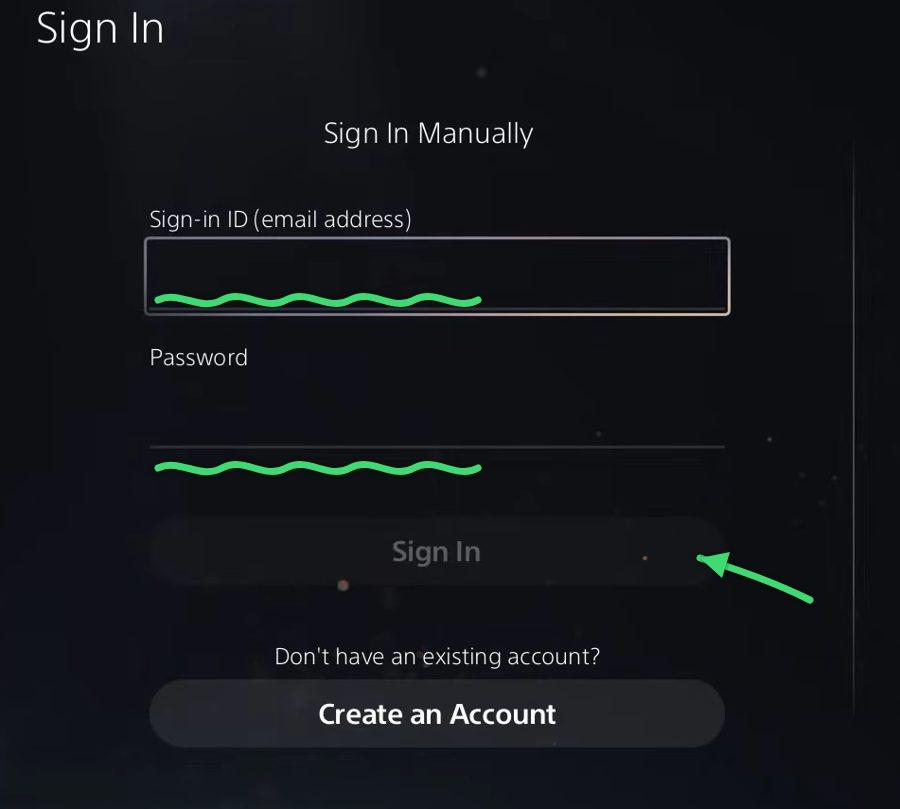
Step 4: Sign in manually
Choose "Sign In Manually" (do not use the QR code) and enter the username and password we sent you. If it asks for an access code, it is single-use.
Step 5: Console sharing
Activate console sharing
If it asks about "Offline Play" or "Console Sharing", choose ACTIVATE ("Activate as your PS5") with this account.
Recommendation: once it is activated, play from your usual account (you do not need to sign in with the delivered account every time). That way the trophies go to your lifelong profile. You can also play straight from the delivered account if you prefer, but we recommend the first option.
Step 6: Download the game
Go to "Game Library", then "Your Collection", wait for the game to show up and start the download. Once it is downloaded, sign in with the user you created.
Do NOT delete the user you downloaded the game with: if you do, you lose access.
Need a hand?
If something does not work, write to us and we will help you.